第248章:revalidatePath vs revalidateTag 🔁
この章は、「更新したのに画面が変わらない😇」を気持ちよく解決する回だよ〜!💪😊 Next.js(App Router)はキャッシュが賢いぶん、“更新の合図” をちゃんと出してあげるのが大事なんだ🌱
今日のゴール 🎯💖
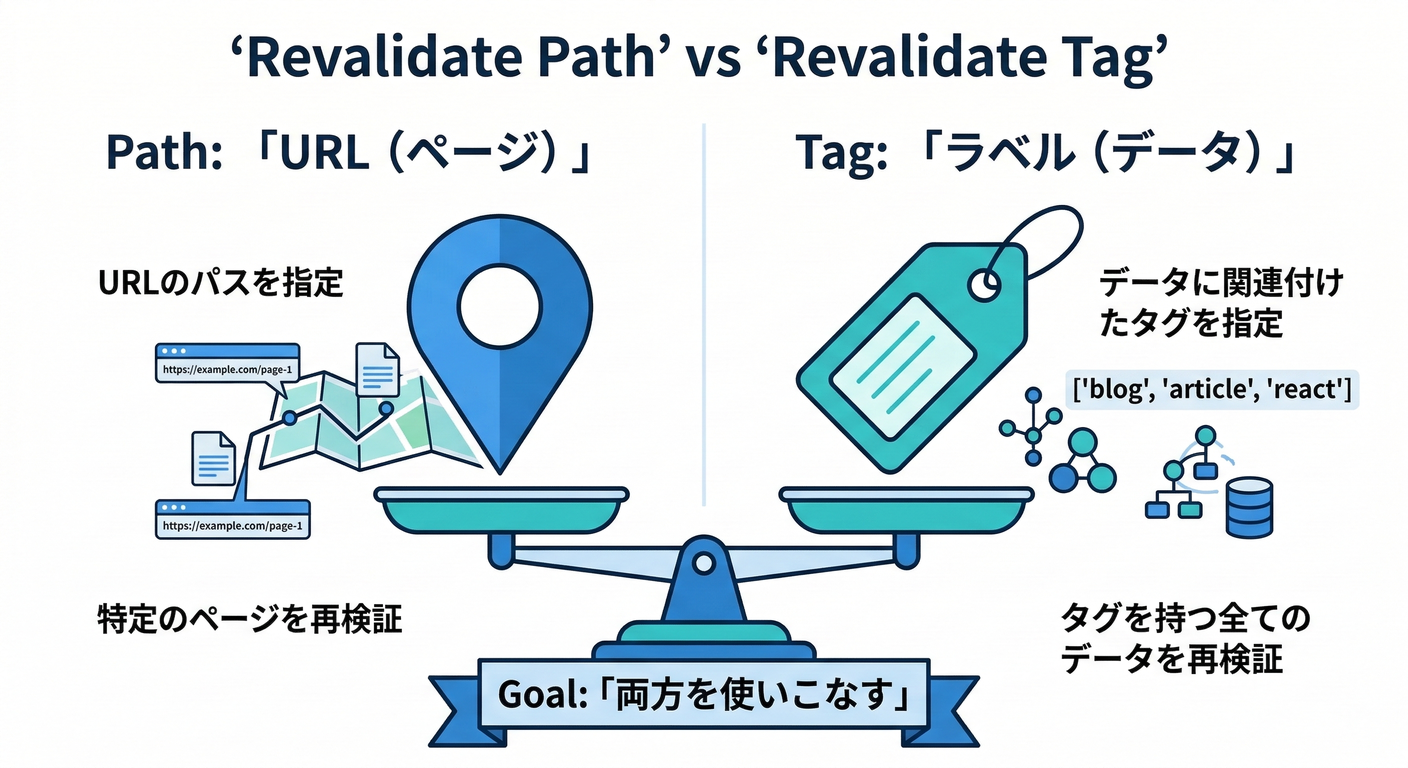
revalidatePathとrevalidateTagの 違い を言えるようになる🗣️✨- それぞれを どんな時に使うか 判断できるようになる🧠✅
- ミニアプリで 実際に動かして体感 する🚀💕
まず結論!どっち使う?🧁
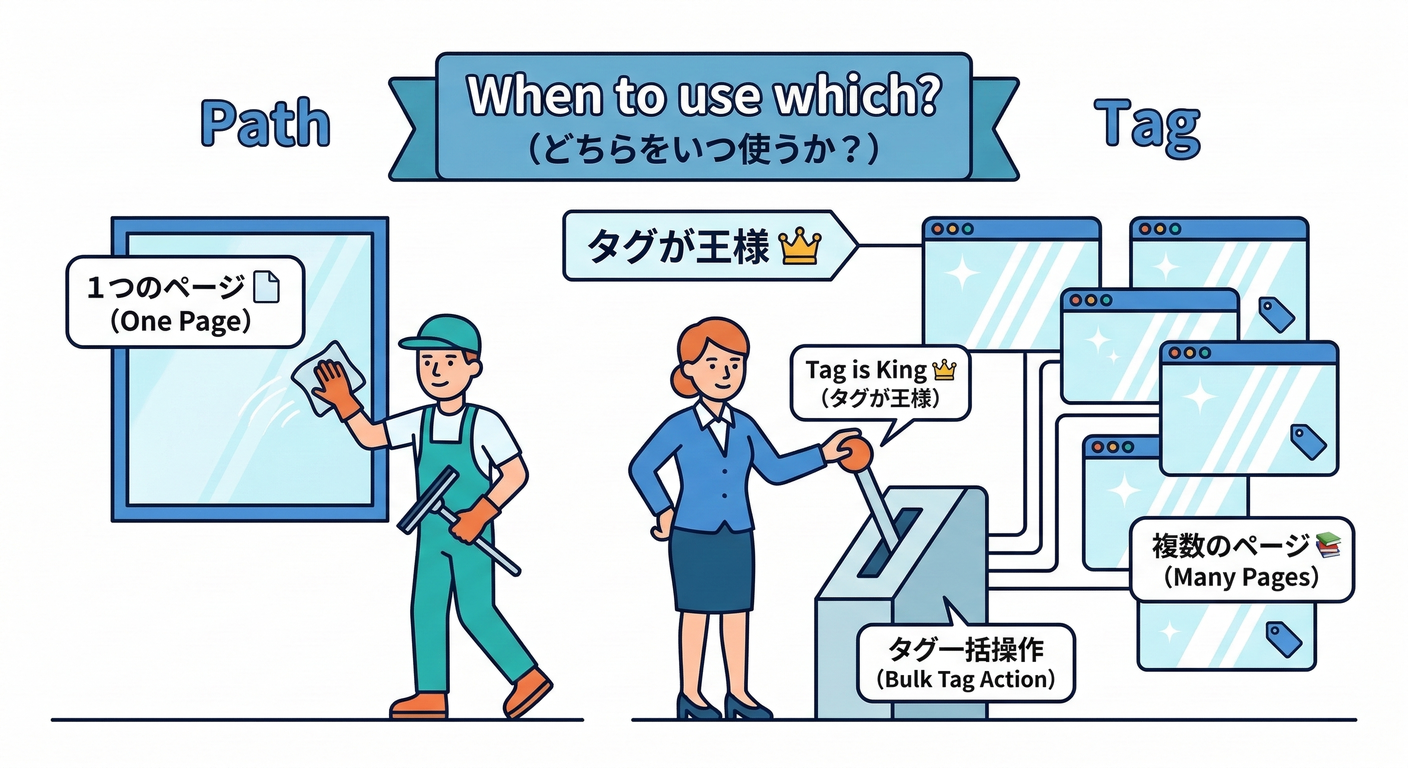
revalidatePath('/notes'): 👉 特定のURL(ページ/レイアウト)を更新したいときに使う✨(ページ単位)revalidateTag('notes'): 👉 同じデータを使ってる複数ページをまとめて更新したいときに使う✨(データ単位) (Next.js)
さらに大事ポイント👇
revalidateTag は基本 「次にそのページが見られたときに更新」(stale-while-revalidate 的な動き)になるよ〜🫧 (Next.js)
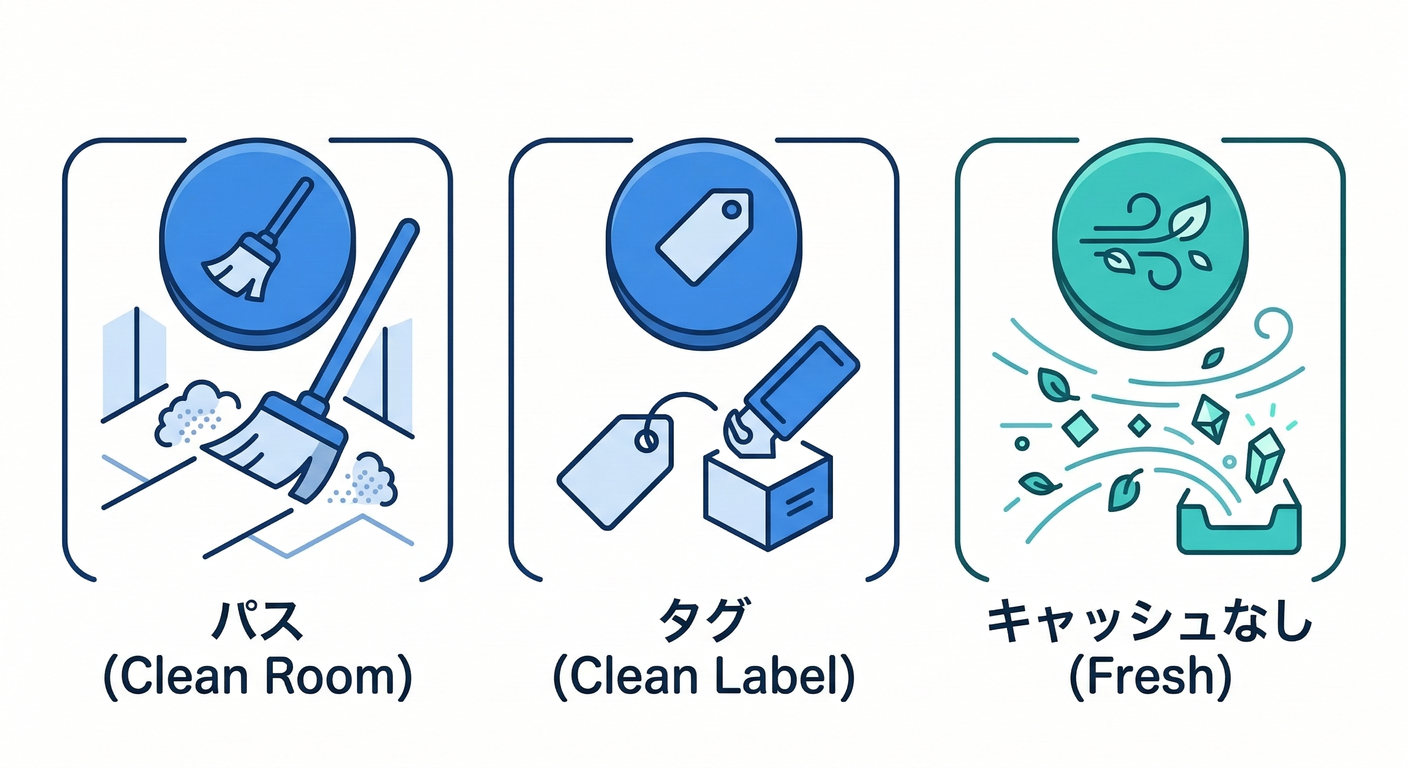
イメージ図で理解しよ〜🧠🎀
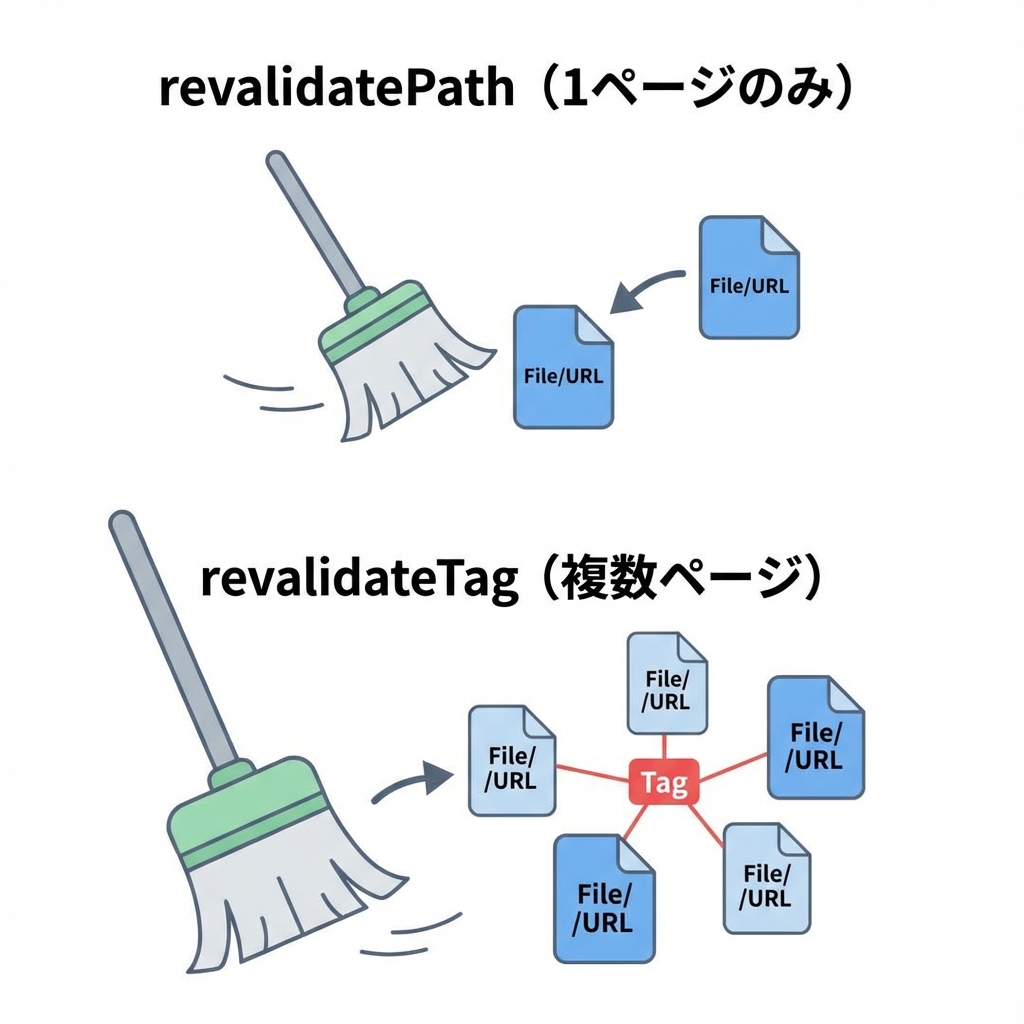
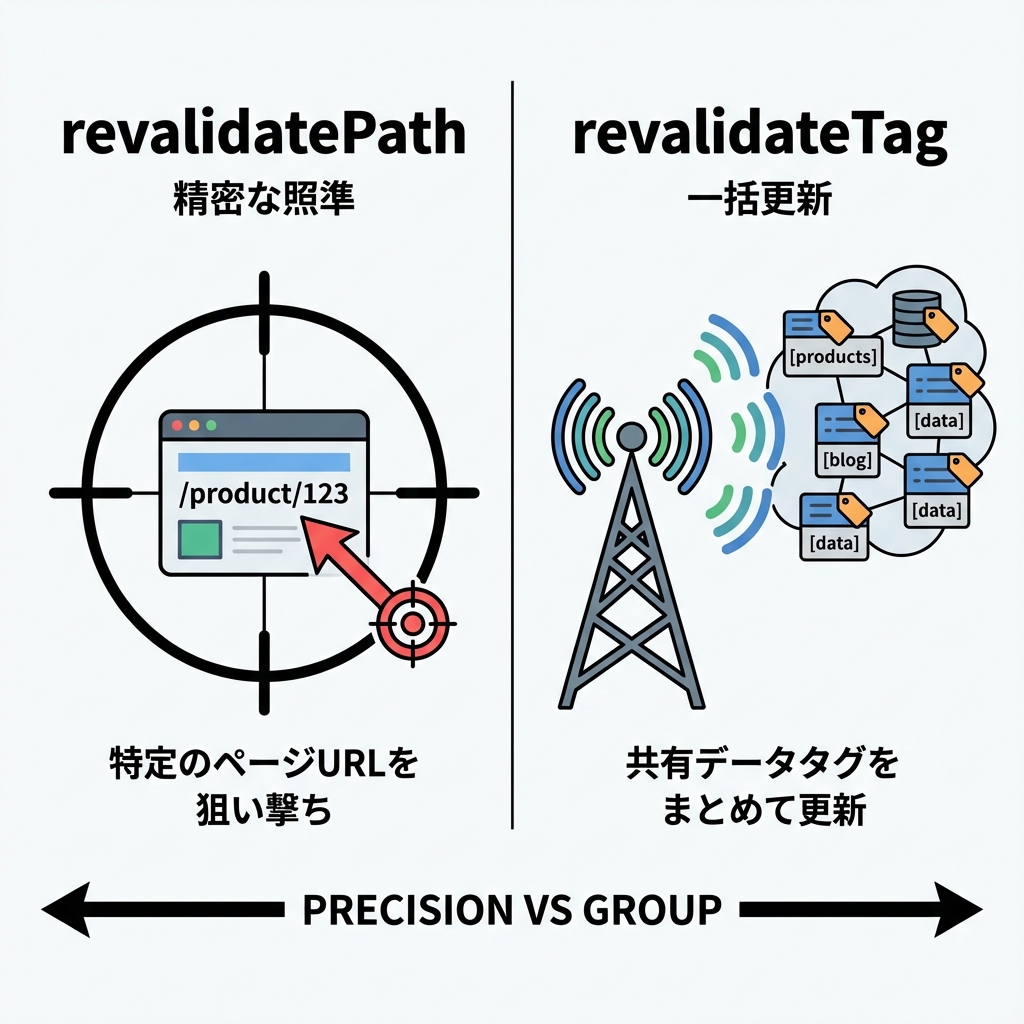
revalidatePath:ページ(パス)を狙い撃ち🎯
revalidateTag:データ(タグ)をまとめて更新📦✨
ハンズオン:差が一瞬でわかるミニアプリ作るよ💻✨

0) プロジェクト作成(Windows / PowerShell)🪟💡
npx create-next-app@latest revalidate-demo
cd revalidate-demo
npm run dev
ブラウザで http://localhost:3000 を開けたらOK〜🎉
キャッシュの挙動は開発中と本番で違うことがあるよ! ちゃんと体感したい時は最後に
npm run build && npm startもやってね🏁✨
1) “メモ一覧”のダミーデータ置き場を作る🗃️📝

app/lib/notesStore.ts を作成👇
export type Note = { id: string; text: string; createdAt: number };

// 開発用の簡易ストア(再起動すると消えるよ)
declare global {
  // eslint-disable-next-line no-var
  var __notes: Note[] | undefined;
}

const notes: Note[] = globalThis.__notes ?? [];
if (!globalThis.__notes) globalThis.__notes = notes;

export function listNotes(): Note[] {
  return [...notes].sort((a, b) => b.createdAt - a.createdAt);
}

export function addNote(text: string): Note {
  const note: Note = { id: crypto.randomUUID(), text, createdAt: Date.now() };
  notes.push(note);
  return note;
}
2) Route Handler(API)を作る🚪✨

app/api/notes/route.ts を作成👇
import { listNotes } from "@/app/lib/notesStore";

export async function GET() {
  return Response.json({
    notes: listNotes(),
    serverNow: Date.now(),
  });
}
3) データ取得を「キャッシュあり」にする🧊✨
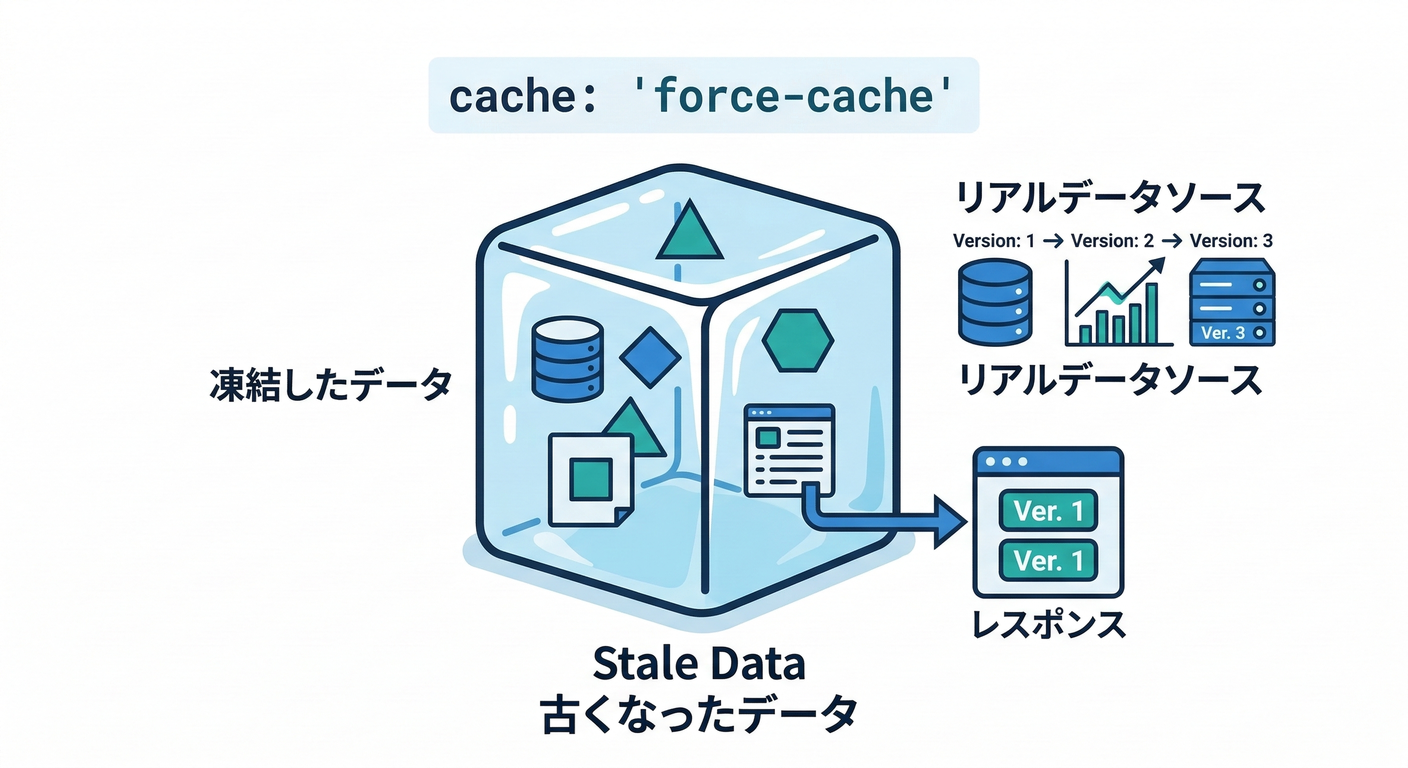
Next.js は fetch が 常にキャッシュされるわけじゃないので、
今回は体感用に cache: 'force-cache' を付けてキャッシュさせるよ🧊 (Next.js)
4) Server Action を3種類作る(比較用)🔁🧪
app/lib/actions.ts を作成👇
"use server";

import { revalidatePath, revalidateTag } from "next/cache";
import { addNote } from "@/app/lib/notesStore";

function readText(formData: FormData) {
  return String(formData.get("text") ?? "").trim();
}

// A) revalidatePath:/notes だけ更新したい
export async function addWithPath(formData: FormData) {
  const text = readText(formData);
  if (!text) return;

  addNote(text);

  // 今見てるページを更新したいとき強い✨
  revalidatePath("/notes");
}

// B) revalidateTag:同じタグのデータをまとめて更新したい
export async function addWithTag(formData: FormData) {
  const text = readText(formData);
  if (!text) return;

  addNote(text);

  // 学習用に「すぐ期限切れ」で分かりやすくする✨
  revalidateTag("notes", { expire: 0 });
}

// C) 実務で気持ちいい:今のページ即更新 + 他ページも次回更新
export async function addBestPractice(formData: FormData) {
  const text = readText(formData);
  if (!text) return;

  addNote(text);

  revalidatePath("/notes");
  revalidateTag("notes", "max"); // stale-while-revalidate 的に更新 :contentReference[oaicite:3]{index=3}
}
revalidatePathは、Server Functions から呼ぶと「見てるページがすぐ更新される」挙動があるよ(※挙動は今後変わる予定あり)📝 (Next.js)
5) /notes ページ(フォーム3つで比較)🧁💬
app/notes/page.tsx を作成👇
import Link from "next/link";
import { addBestPractice, addWithPath, addWithTag } from "@/app/lib/actions";

async function fetchNotes() {
  const res = await fetch("http://localhost:3000/api/notes", {
    cache: "force-cache",
    next: { tags: ["notes"] },
  });
  return res.json() as Promise<{ notes: { id: string; text: string; createdAt: number }[]; serverNow: number }>;
}

export default async function NotesPage() {
  const data = await fetchNotes();

  return (
    <main style={{ padding: 24, fontFamily: "system-ui" }}>
      <h1>Notes 📝✨</h1>

      <p>
        <Link href="/">← Home</Link> / <Link href="/dashboard">Dashboard →</Link>
      </p>

      <p>サーバー時刻: {new Date(data.serverNow).toLocaleString()}</p>

      <section style={{ display: "grid", gap: 12, marginTop: 16, maxWidth: 520 }}>
        <form action={addWithPath} style={{ display: "flex", gap: 8 }}>
          <input name="text" placeholder="メモ(revalidatePath)" style={{ flex: 1, padding: 8 }} />
          <button type="submit">追加A🎯</button>
        </form>

        <form action={addWithTag} style={{ display: "flex", gap: 8 }}>
          <input name="text" placeholder="メモ(revalidateTag)" style={{ flex: 1, padding: 8 }} />
          <button type="submit">追加B🏷️</button>
        </form>

        <form action={addBestPractice} style={{ display: "flex", gap: 8 }}>
          <input name="text" placeholder="メモ(Best)" style={{ flex: 1, padding: 8 }} />
          <button type="submit">追加C🌈</button>
        </form>
      </section>

      <hr style={{ margin: "20px 0" }} />

      <h2>一覧 📚</h2>
      <ul>
        {data.notes.map((n) => (
          <li key={n.id}>
            {n.text} <small>({new Date(n.createdAt).toLocaleTimeString()})</small>
          </li>
        ))}
      </ul>
    </main>
  );
}
6) /dashboard ページ(同じタグのデータを使う)📊🏷️
app/dashboard/page.tsx を作成👇
import Link from "next/link";

async function fetchNotes() {
  const res = await fetch("http://localhost:3000/api/notes", {
    cache: "force-cache",
    next: { tags: ["notes"] },
  });
  return res.json() as Promise<{ notes: { id: string; text: string; createdAt: number }[]; serverNow: number }>;
}

export default async function DashboardPage() {
  const data = await fetchNotes();
  const top3 = data.notes.slice(0, 3);

  return (
    <main style={{ padding: 24, fontFamily: "system-ui" }}>
      <h1>Dashboard 📊✨</h1>

      <p>
        <Link href="/">← Home</Link> / <Link href="/notes">Notes →</Link>
      </p>

      <p>サーバー時刻: {new Date(data.serverNow).toLocaleString()}</p>
      <p>メモ総数: {data.notes.length} 件 🧁</p>

      <h2>最新3件 🕒</h2>
      <ol>
        {top3.map((n) => (
          <li key={n.id}>{n.text}</li>
        ))}
      </ol>
    </main>
  );
}
7) Home にリンクを置く🏠🔗
app/page.tsx を置き換え👇
import Link from "next/link";

export default function Home() {
  return (
    <main style={{ padding: 24, fontFamily: "system-ui" }}>
      <h1>revalidate デモ 🌟</h1>
      <ul>
        <li>
          <Link href="/notes">Notes 📝</Link>
        </li>
        <li>
          <Link href="/dashboard">Dashboard 📊</Link>
        </li>
      </ul>

      <p style={{ marginTop: 16 }}>
        2タブで開いて比較すると最高だよ〜!🫶✨
      </p>
    </main>
  );
}
動かし方(おすすめ手順)🚀💖
-
http://localhost:3000/notesとhttp://localhost:3000/dashboardを 2タブで開く 🗂️✨ -
/notesで 追加A🎯(revalidatePath) を押す/notesは更新されやすい✨/dashboardはそのまま…になりやすい😇(同じデータでも、タグまでは触ってないから) (Next.js)
-
/notesで 追加B🏷️(revalidateTag) を押す- 次にそれぞれのページを見たとき、タグのデータが更新される動き✨ (Next.js)
-
最後に 追加C🌈(Best) を押す
- 「今のページはすぐ反映」+「他ページも次回から新しい」になって気持ちいい💯 (Next.js)
revalidatePath の細かい注意(地雷回避)💣➡️🌸
revalidatePath('/product/[slug]', 'page')みたいに、動的セグメントを含むパターンを指定するならtypeが必須だよ✅ (Next.js)type: 'layout'にすると、そのレイアウト配下がまとめて対象になることもあるよ(強いけど範囲広い💪) (Next.js)
まとめ:実務での選び方🍰✨
- 画面Aだけ更新したい →
revalidatePath('/a')🎯 - 複数画面が同じデータを共有 →
revalidateTag('data')🏷️ - ユーザー体験もデータ整合性も両取り →
revalidatePath(今の画面)+revalidateTag(共有データ)🌈✨ (Next.js)
おまけ課題(5分)🧩💖
/dashboardに「最新1件だけ表示」欄を追加してみよ〜🕒✨addWithPathのとき、Dashboardが更新されないのを体感できたら勝ち🏆😊
次の章(第249章)はログ設計📝だから、 この章で作ったデモに「いつ更新が走ったか」をログ出すと理解がさらに深まるよ〜!🌟